Best 1.14 Minecraft Mods for Better Gameplay
Minecraft 1.14, also known as the Village & Pillage update, changed the game in many ways. It improved villages, added new mobs, and made the world feel more alive. However, many players still felt that the game could be better. This is exactly where Minecraft mods come in.
Mods allow players to change how the game works. Some mods improve graphics, while others add new items, tools, or even full systems. If you still play Minecraft 1.14, or if you prefer this version for mod compatibility, then this guide is for you.
In this article, you will learn about the best 1.14 Minecraft mods, explained in simple English. These mods focus on performance, survival, building, and overall fun. Whether you are a beginner or an experienced player, you will find something useful here.
Why Players Still Use Minecraft 1.14 Mods
Many players ask why people still use older versions like 1.14. The answer is simple.
First, Minecraft 1.14 is very stable. Many mods were built specifically for this version and work smoothly without crashes. Second, some players prefer the classic feel of older Minecraft versions. Third, many low-end PCs run 1.14 better than newer versions.
Because of these reasons, 1.14 Minecraft mods are still very popular.
How Mods Improve Minecraft 1.14
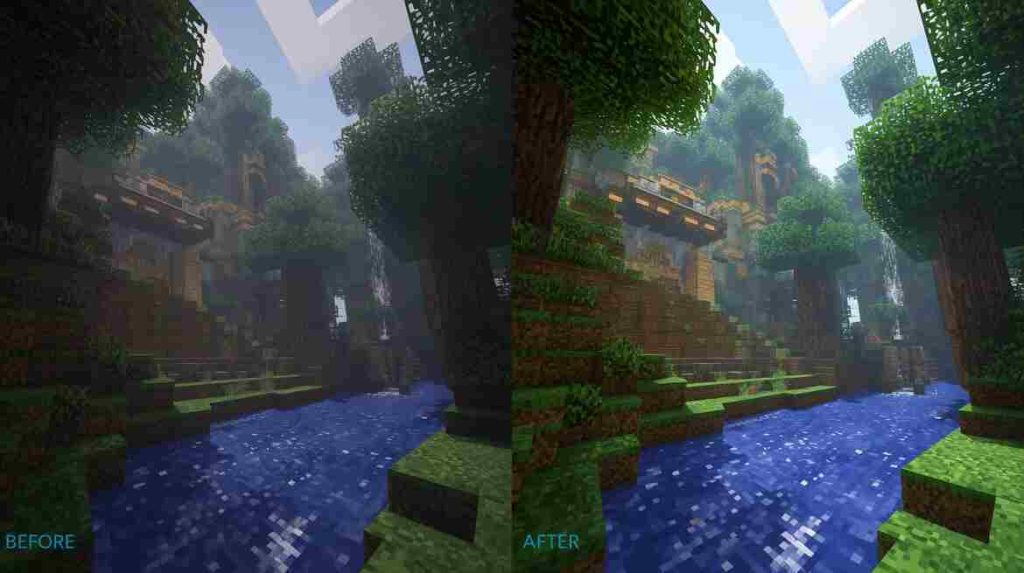
Mods change Minecraft in many helpful ways. Instead of playing the same game again and again, mods add new experiences.
Mods can:
- Add new tools and weapons
- Improve graphics and lighting
- Make survival more challenging
- Add quality-of-life features
- Improve performance
As a result, Minecraft feels fresh and exciting again.
Best Performance Mods for Minecraft 1.14
Performance is very important, especially if you use a low-end PC or laptop. These mods help Minecraft run faster and smoother.
OptiFine 1.14
OptiFine is one of the most popular Minecraft mods ever. It improves FPS and reduces lag. At the same time, it gives you better graphics options.
With OptiFine, you can:
- Increase FPS
- Use shaders
- Control lighting
- Customize graphics
Almost every Minecraft player uses OptiFine, and it works very well with version 1.14.
FoamFix
FoamFix helps reduce memory usage. This means Minecraft uses less RAM, which improves performance.
If your game crashes or lags, FoamFix can help fix that problem.
Best Survival Mods for Minecraft 1.14
Survival mode becomes much more fun with the right mods. These mods make the game harder, deeper, and more realistic.
Tough As Nails
This mod adds temperature and thirst systems. Now you must stay warm in cold areas and drink water to survive.
As a result, survival feels more realistic and challenging.
Serene Seasons
Serene Seasons adds real seasons to Minecraft. Crops grow differently in each season, and weather changes over time.
Because of this, farming becomes more interesting and strategic.
Best Building Mods for Minecraft 1.14
If you enjoy building, these mods will save you time and effort.
WorldEdit
WorldEdit is a must-have mod for builders. It allows you to:
- Copy and paste buildings
- Fill large areas quickly
- Undo mistakes
Instead of placing blocks one by one, you can build huge structures in minutes.
Chisel
Chisel adds many decorative blocks. These blocks help make buildings look detailed and beautiful.
If you like creative building, Chisel is perfect for you.
Best Quality-of-Life Mods for Minecraft 1.14
Quality-of-life mods do not change the game too much. Instead, they make small improvements that save time.
Just Enough Items (JEI)
JEI shows crafting recipes inside the game. You no longer need to search online for recipes.
This makes crafting much easier, especially for new players.
JourneyMap
JourneyMap adds a live map to your screen. You can see explored areas and place markers.
As a result, you never get lost again.
If you enjoy Minecraft guides and gameplay improvements, you may also find useful content like Minecraft Codes and Game Rewards helpful for enhancing your gaming experience.
Best Exploration Mods for Minecraft 1.14
Exploration becomes boring if the world feels empty. These mods fix that problem.
Biomes O’ Plenty
This mod adds many new biomes. Each biome has unique trees, plants, and landscapes.
Exploring the world becomes exciting again because every area feels different.
Dungeon Crawl
Dungeon Crawl adds large underground dungeons with enemies and loot.
If you enjoy adventure and combat, this mod is a great choice.
How to Install Mods for Minecraft 1.14

Installing mods is easy if you follow the right steps.
- Install Minecraft Forge 1.14
- Download the mod files
- Open the Minecraft folder
- Put mods into the “mods” folder
- Launch Minecraft using Forge
After that, your mods will work.
Are 1.14 Minecraft Mods Safe?
Most mods are safe if downloaded from trusted sources. However, always be careful.
Tips for safety:
- Avoid unknown websites
- Read user reviews
- Keep backups of your worlds
If you follow these steps, you can enjoy mods without problems.
Why Modding Makes Minecraft Better
Minecraft is already a great game. However, mods make it even better. They allow players to play the game their own way.
With mods, you can:
- Create new challenges
- Improve visuals
- Add new content
- Play longer without boredom
That is why Minecraft mods remain popular year after year.
If you like discovering popular game content and updates, similar guides like Roblox Game Codes may also interest you.
Final Thoughts on 1.14 Minecraft Mods
Minecraft 1.14 is still a strong version, especially for modded gameplay. With the right mods, the game feels modern, smooth, and fun.
Whether you enjoy survival, building, exploration, or performance improvements, 1.14 Minecraft mods offer something for everyone.
If you want stable gameplay with endless customization, Minecraft 1.14 modding is still a great choice.
FAQs
Yes, many mods still work well with Minecraft 1.14.
Some mods work in multiplayer, but servers must support them.
Yes, especially with performance mods like OptiFine.
Yes, most 1.14 mods require Minecraft Forge.