What Is Page RPM in Google AdSense? Explained
If you use Google AdSense or plan to monetize your blog, you will often see a metric called Page RPM in your dashboard. Many beginners look at this number without fully understanding what it actually means or how it affects earnings.
Page RPM is one of the most important performance metrics in AdSense. It shows how much revenue your website generates for every 1,000 page views. Unlike impressions or clicks alone, Page RPM helps you understand the true earning power of your content.
In this guide, you will learn what Page RPM is, how it is calculated, why it matters more than many other metrics, and how you can improve it in practical ways.
Understanding Page RPM in Simple Terms
Page RPM stands for Revenue Per Mille, where “mille” means one thousand.
In simple words:
Page RPM tells you how much money you earn for every 1,000 page views on your website.
For example, if your Page RPM is $5, it means your site earns $5 for every 1,000 page views, regardless of how many ads are shown or clicked.
This makes Page RPM a powerful metric because it focuses on overall performance, not just clicks.
How Page RPM Is Calculated
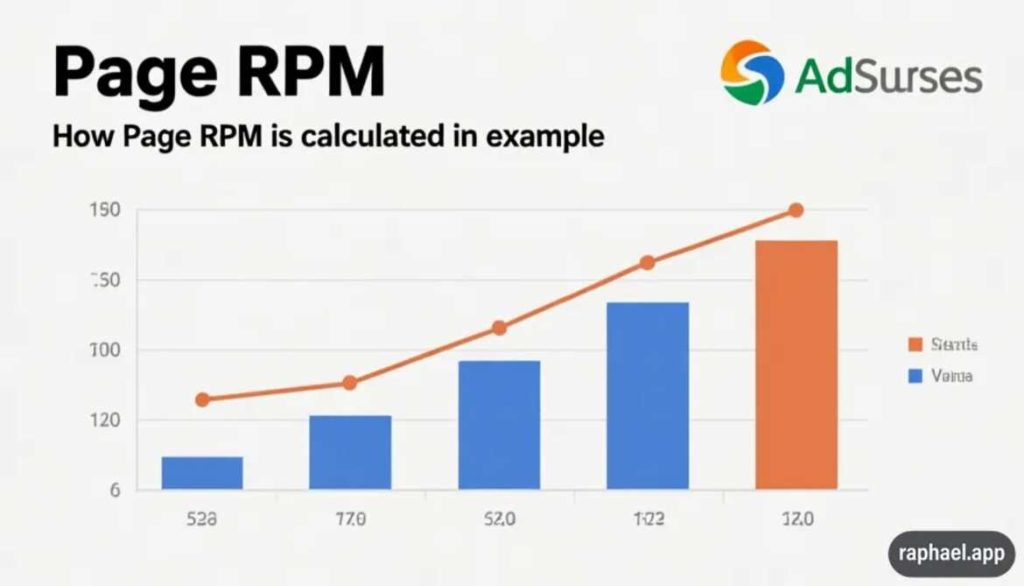
Google uses a simple formula to calculate Page RPM.
Page RPM = (Estimated Earnings ÷ Page Views) × 1000
Let’s look at a real example.
If:
- Estimated earnings = $20
- Page views = 4,000
Then:
Page RPM = (20 ÷ 4000) × 1000 = $5
This calculation helps you compare different pages and traffic sources easily.
Page RPM vs Other AdSense Metrics
Many publishers confuse Page RPM with other metrics.
Page RPM vs CPC
CPC (Cost Per Click) measures how much you earn per ad click. Page RPM measures how much you earn per 1,000 page views.
A page can have:
- Low CPC but high RPM
- High CPC but low RPM
RPM gives a clearer picture of real earnings.
Page RPM vs CTR
CTR (Click Through Rate) shows how often users click ads. RPM includes clicks, impressions, and ad types combined.
That’s why RPM is more reliable for long-term analysis.
Why Page RPM Is So Important
Page RPM shows the quality of traffic and content.
A higher RPM means:
- Better ad placement
- Higher-value ads
- Strong user engagement
Traffic alone does not guarantee income. Two sites with the same traffic can earn very different amounts depending on RPM.
This is why many experienced bloggers focus on improving RPM instead of chasing traffic blindly.
What Affects Page RPM in Google AdSense
Several factors influence your Page RPM.
1. Website Niche
Some niches pay more than others.
High RPM niches include:
- Finance
- Technology
- Insurance
- Software
Low RPM niches often include:
- Entertainment
- General news
- Viral content
Choosing the right niche plays a big role, as discussed in How to Start a Blog and Promote on Social Media, where monetization planning starts early.
2. Traffic Location
Traffic from countries like:
- United States
- Canada
- UK
- Australia
Usually produces higher RPM than traffic from lower-paying regions.
3. Content Quality
High-quality content keeps users longer on the page. Longer sessions allow more ads to be shown, which increases RPM.
Thin or copied content usually results in low RPM.
4. Ad Placement and Layout
Ad position affects visibility and engagement.
Well-placed ads:
- Load faster
- Match content flow
- Do not interrupt user experience
Poor placement can reduce RPM even with good traffic.
5. Device Type
Desktop users often generate higher RPM than mobile users, although this gap is narrowing.
Responsive design helps balance RPM across devices.
How to Increase Page RPM (Practical Steps)

This is where most articles stop being helpful. Let’s focus on what actually works.
Improve Content Depth
Longer, useful articles usually generate higher RPM because:
- Users stay longer
- More ads are shown naturally
Instead of writing many short posts, focus on fewer but deeper ones.
Target High-Intent Keywords
Keywords with buying or decision intent usually attract higher-paying ads.
For example:
- “Best tools for…”
- “How to choose…”
- “Comparison of…”
These keywords attract advertisers willing to pay more.
Optimize Ad Placement Carefully
Use AdSense auto ads or manual placements, but always test.
Good practices include:
- Ads after headings
- Ads within content flow
- Avoiding excessive ads
Balance user experience with monetization.
Improve Page Speed
Fast-loading pages improve user experience and ad performance.
Use:
- Optimized images
- Lightweight themes
- Caching plugins
Better speed often leads to better RPM.
Analyze Page-Level RPM
Not all pages earn equally.
Check which pages have:
- High RPM
- Low RPM
Then replicate successful formats and improve weaker pages.
This analytical approach is similar to performance tracking concepts discussed in SEO Content Creation Services, where optimization is data-driven.
Common Myths About Page RPM
Let’s clear some confusion.
- High traffic does NOT guarantee high RPM
- More ads do NOT always increase RPM
- CPC alone does NOT define earnings
Understanding RPM avoids these mistakes.
How Long Does It Take to Improve RPM?
RPM does not improve overnight.
Most improvements take:
- 2–4 weeks for layout changes
- 1–3 months for content improvements
- Longer for traffic quality changes
Consistency matters more than quick tweaks.
Should You Focus on RPM or Traffic?
The best strategy is balance.
- Low traffic + high RPM = limited earnings
- High traffic + low RPM = wasted potential
The goal is steady traffic with improving RPM.
Final Thoughts
Page RPM is one of the most important metrics in Google AdSense. It helps you understand how well your website turns traffic into revenue.
Instead of chasing clicks or impressions alone, focus on improving content quality, targeting the right audience, and optimizing user experience. Over time, Page RPM becomes a powerful indicator of your site’s monetization strength.
Understanding and improving Page RPM is a key step toward sustainable AdSense income.
FAQs
A good Page RPM depends on niche and traffic location, but many sites aim for $3–$10 as a healthy starting range.
Yes, Page RPM can fluctuate daily based on traffic quality, ad demand, and user behavior.
Not always. Too many ads can reduce user experience and lower RPM over time.
No, each page has its own RPM depending on content, keywords, and user intent.