
Video Conference Tips for Better Meetings (2026 Guide)
Video conferencing has become a normal part of work, education, and even personal communication. People now attend job interviews, online classes, business meetings, and remote team discussions through platforms like Zoom, Google Meet, and Microsoft Teams. However, many video calls still feel frustrating. Sometimes the audio breaks, the video looks blurry, or the meeting becomes boring and unproductive. The good news is that small improvements can make a huge difference. In this guide, you will learn useful video conference tips that help you look professional, communicate clearly, and run smoother online meetings.
Why Video Conference Skills Matter Today
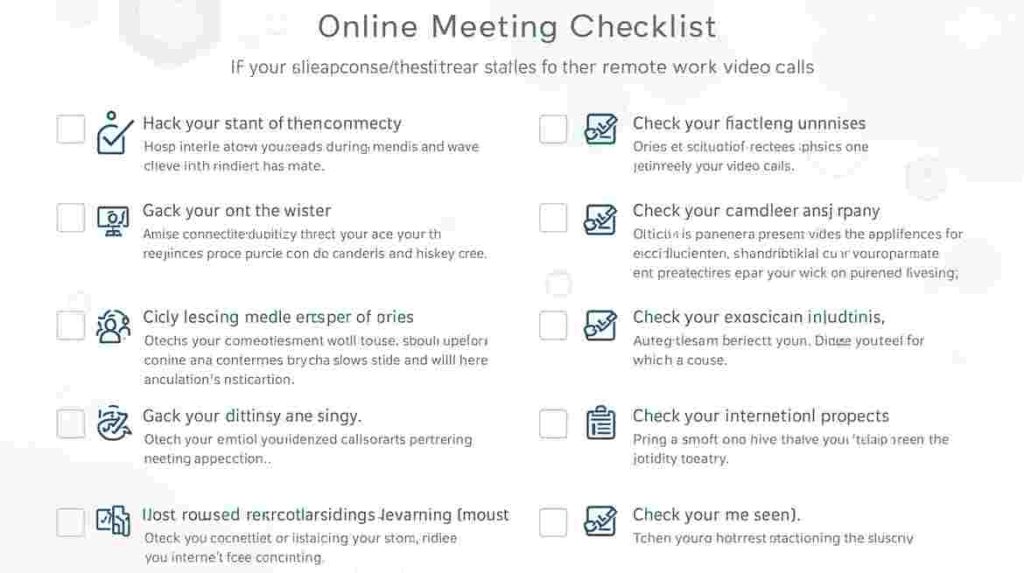
Online meetings are not going away. In fact, remote work and virtual collaboration continue to grow in 2026.
Strong video conferencing habits help you:
- Save time during meetings
- Communicate more clearly
- Build trust with colleagues or clients
- Avoid technical problems
- Stay confident on camera
So whether you are a student, freelancer, or office worker, these tips will help you stand out.
1. Prepare Your Internet Connection First
A stable internet connection is the foundation of a good video call.
Before joining a meeting:
- Use a strong Wi-Fi signal
- Sit close to your router if possible
- Avoid downloading large files during calls
- Consider using an Ethernet cable for extra stability
Slow internet often causes freezing, lag, and poor audio quality.
If you want to improve your overall wireless setup, you may find Wireless Security Techniques helpful, since secure and optimized Wi-Fi improves performance too.
2. Use Headphones or an External Microphone
Audio matters more than video in most meetings. People can forgive a slightly blurry camera, but they struggle with unclear sound.
For better audio:
- Use wired or Bluetooth headphones
- Choose a headset with noise cancellation
- Avoid using laptop speakers, which create echo
Clear audio makes you sound professional instantly.
3. Check Your Camera Angle and Position
Your camera placement affects how others see you.
Try these simple adjustments:
- Keep the camera at eye level
- Avoid looking down from below
- Sit centered in the frame
- Leave a little space above your head
A good angle helps you look more confident and engaged.
4. Improve Lighting for a Clearer Video

Bad lighting can make even a high-quality camera look terrible.
For better lighting:
- Face a window or light source
- Avoid sitting with bright light behind you
- Use a desk lamp or ring light if needed
Good lighting makes your face clearer and improves the overall call experience.
5. Choose a Quiet and Simple Background
Your background should not distract others.
A clean setup helps meetings feel professional.
Good options include:
- Plain wall
- Neat room corner
- Virtual background (if necessary)
Also, reduce noise by closing doors and muting nearby devices.
6. Join Meetings a Few Minutes Early
Being late creates stress and interrupts the meeting.
Joining early allows you to:
- Test audio and video
- Fix connection problems
- Review meeting notes
- Settle in calmly
Even 2–3 minutes early makes a difference.
7. Keep Your Device Updated
Outdated apps and systems often cause glitches.
Before important meetings:
- Update Zoom, Teams, or Meet
- Restart your computer
- Close unused programs
- Check browser permissions
Modern software runs smoother and prevents surprise errors.
This is similar to how optimizing systems improves performance in technical workflows like ETL Process Optimization, where small improvements create smoother results.
8. Mute Yourself When Not Speaking
Background sounds can disrupt meetings quickly.
Mute yourself when:
- You are not talking
- Someone else is presenting
- You are typing or moving around
This simple habit improves meeting quality for everyone.
9. Use the Chat and Reactions Smartly
Most video platforms include chat, emoji reactions, and hand-raise features.
Use them to:
- Ask quick questions without interrupting
- Share links or resources
- Show agreement or feedback
This keeps meetings interactive and organized.
10. Speak Clearly and Use Short Points
Online communication needs clarity.
When speaking:
- Slow down slightly
- Use short sentences
- Pause between ideas
- Avoid talking over others
Clear speaking helps listeners follow you easily, especially in international meetings.
11. Stay Engaged With Eye Contact
Eye contact builds trust, even online.
To improve engagement:
- Look into the camera while speaking
- Avoid staring at your phone
- Nod or smile naturally
People feel more connected when you appear present.
12. Avoid Multitasking During Meetings
Multitasking reduces focus and makes you miss key points.
Instead:
- Take short notes
- Listen actively
- Respond when needed
Staying focused improves your reputation and meeting outcomes.
13. Use Meeting Agendas for Productivity
If you host meetings, always set an agenda.
A simple agenda includes:
- Purpose of the call
- Topics to discuss
- Time limits
- Next steps
This prevents long, unfocused meetings and saves time.
14. Record Important Meetings (With Permission)
Recording can help for:
- Training sessions
- Client discussions
- Team updates
However, always ask permission before recording.
Recordings allow people to review key points later.
15. End With Clear Action Items
Every meeting should end with clarity.
Before closing:
- Summarize decisions
- Assign tasks
- Confirm deadlines
- Schedule follow-up if needed
This ensures meetings lead to real progress, not confusion.
Final Thoughts
Video conferencing is now an essential skill in modern life. With the right setup and habits, you can improve your online meetings dramatically.
By focusing on internet stability, clear audio, good lighting, professional behavior, and strong communication, you will create smoother and more productive video calls.
Whether you are attending online classes, working remotely, or meeting clients, these video conference tips will help you feel confident and prepared.
FAQs
Clear audio is usually the most important factor. Using headphones or a good microphone helps others understand you easily.
Use good lighting, keep the camera at eye level, choose a clean background, and join meetings on time.
Freezing often happens due to weak internet. Try moving closer to the router or using an Ethernet connection for stability.
If possible, yes. Keeping your camera on improves engagement and helps communication feel more personal.