
Wireless Security Techniques: Protecting Modern Networks in 2026
Wireless networks are everywhere. Homes, offices, cafés, airports, and even smart cities rely on wireless connections every day. Because wireless signals travel through the air, they are easier to access than wired networks. As a result, wireless security has become more important than ever.
Wireless security techniques help protect networks from unauthorized access, data theft, and cyberattacks. Without proper protection, attackers can intercept data, steal personal information, or even take full control of a network.
In this article, we will explore the most effective wireless security techniques, explain how they work, compare different methods, and help you understand how to secure modern wireless networks properly.
What Is Wireless Security?

Wireless security refers to the tools, settings, and practices used to protect wireless networks from unauthorized access and misuse.
Unlike wired networks, wireless networks broadcast signals. Anyone within range can attempt to connect. Therefore, strong security measures are essential to control who can access the network and what they can do once connected.
Wireless security focuses on:
- Protecting data in transit
- Preventing unauthorized access
- Securing connected devices
- Monitoring network activity
Why Wireless Security Is Important
Wireless networks handle sensitive information every day. This includes login credentials, financial data, personal messages, and business files.
Without proper security:
- Hackers can intercept data
- Attackers can use your internet connection
- Malware can spread across devices
- Privacy can be compromised
Recent data breaches and security incidents, like those discussed in Cash App Data Security Settlement, show how weak security practices can lead to serious consequences.
Common Wireless Security Threats
Before understanding protection methods, it helps to know what you are defending against.
Unauthorized Network Access
Attackers try to connect to open or weakly protected Wi-Fi networks.
Man-in-the-Middle Attacks
Hackers intercept communication between devices and the router.
Packet Sniffing
Attackers capture data packets traveling over the network.
Rogue Access Points
Fake Wi-Fi networks trick users into connecting.
Weak Password Exploits
Simple passwords allow attackers to gain access easily.
Wireless Encryption Techniques
Encryption is the foundation of wireless security. It scrambles data so only authorized devices can read it.
WEP (Wired Equivalent Privacy)
- Old and insecure
- Easy to break
- No longer recommended
WPA (Wi-Fi Protected Access)
- Improved over WEP
- Better encryption
- Still outdated today
WPA2
- Strong encryption (AES)
- Widely used
- Still secure if configured correctly
WPA3 (Best Option)
- Strongest wireless encryption
- Protects against brute-force attacks
- Better security for public Wi-Fi
Comparison:
WEP < WPA < WPA2 < WPA3
Using WPA3 whenever possible is one of the most important wireless security techniques today.
Strong Password and Authentication Practices
Passwords remain one of the weakest points in wireless security. Therefore, strong authentication is critical.
Effective practices include:
- Using long, unique Wi-Fi passwords
- Avoiding default router credentials
- Changing passwords regularly
- Using passphrases instead of short words
Multi-layer authentication concepts used in tools like Google Password Manager Review highlight how strong credential management improves overall security.
Network Segmentation
Network segmentation separates devices into different virtual networks.
For example:
- One network for employees
- One network for guests
- One network for smart devices
This technique limits damage if one device gets compromised. Even if attackers access one segment, they cannot easily reach others.
Network segmentation is especially useful for:
- Offices
- Smart homes
- Public Wi-Fi environments
MAC Address Filtering
Every device has a unique MAC address. Routers can allow or block devices based on these addresses.
Pros
- Adds an extra control layer
- Prevents unknown devices from connecting
Cons
- MAC addresses can be spoofed
- Not effective alone
MAC filtering works best when combined with encryption and strong passwords.
Disabling SSID Broadcasting
SSID broadcasting makes your network name visible to nearby devices.
Disabling it:
- Hides the network from casual users
- Reduces unwanted connection attempts
However, advanced attackers can still detect hidden networks. Therefore, this technique should support, not replace, other security methods.
Firewall Protection for Wireless Networks
Firewalls monitor incoming and outgoing network traffic.
Wireless firewalls:
- Block suspicious activity
- Prevent unauthorized access
- Control data flow
Most modern routers include built-in firewalls. Keeping them enabled and updated adds a strong defense layer.
Security discussions like those found in Brightline Data Security Settlement show how firewall misconfigurations can expose sensitive data.
Regular Router Firmware Updates
Outdated firmware creates security gaps.
Router updates:
- Fix known vulnerabilities
- Improve performance
- Add new security features
Many attacks target routers that have not been updated for years. Checking for firmware updates regularly is a simple yet powerful security step.
Intrusion Detection and Monitoring
Advanced wireless security setups use monitoring tools to detect suspicious behavior.
These systems can:
- Identify unusual traffic patterns
- Alert administrators
- Block suspicious devices
Monitoring helps catch threats early, before serious damage occurs.
Wireless Security for Public Wi-Fi
Public Wi-Fi networks carry higher risks.
Best practices include:
- Avoiding sensitive transactions
- Using secure websites (HTTPS)
- Disabling automatic connections
- Using VPNs when necessary
Public networks benefit greatly from WPA3 and strong access controls.
Comparing Home vs Business Wireless Security
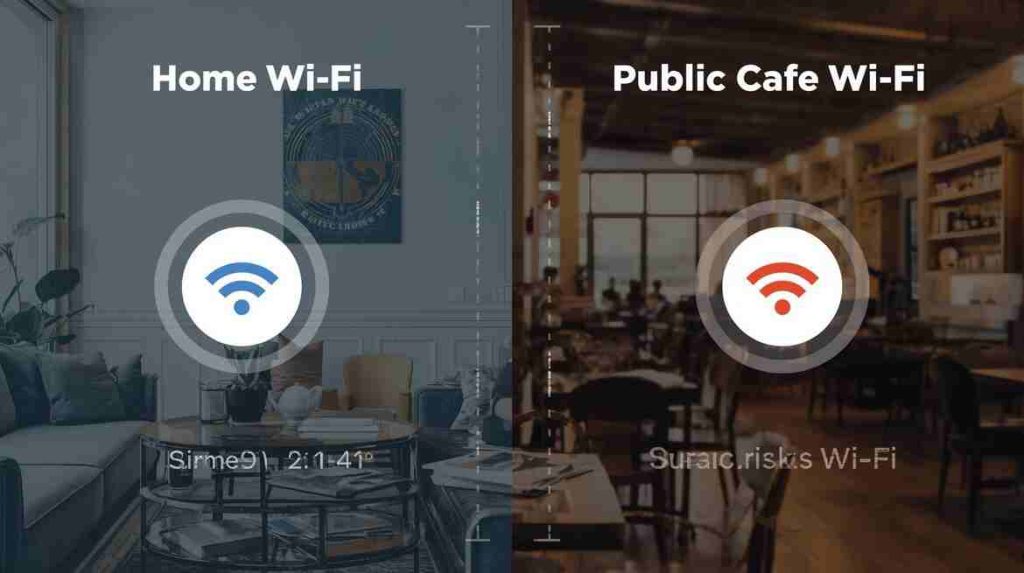
Home Networks
- Focus on simplicity
- Strong passwords
- WPA2 or WPA3 encryption
Business Networks
- Network segmentation
- Advanced monitoring
- Strict access controls
Businesses face higher risks, so they must apply multiple wireless security techniques together.
Future Trends in Wireless Security
Wireless security continues to evolve.
Key trends include:
- AI-based threat detection
- Zero-trust network models
- Improved encryption standards
- Stronger device authentication
Government and enterprise discussions, such as Trump Administration Cybersecurity Funding Cuts, highlight how investment impacts wireless security readiness.
Final Thoughts
Wireless security techniques are essential in today’s connected world. Because wireless networks are easy to access, they require strong protection. Encryption, authentication, monitoring, and regular updates work together to reduce risk.
No single technique is enough on its own. However, combining multiple wireless security strategies creates a safer and more reliable network.
Whether you manage a home Wi-Fi setup or a business network, applying these techniques helps protect data, devices, and users from growing cyber threats.
FAQs
Check for updates every few months or when security alerts appear.
WPA3 is currently the most secure wireless protocol.
No. It should be combined with encryption and strong passwords.