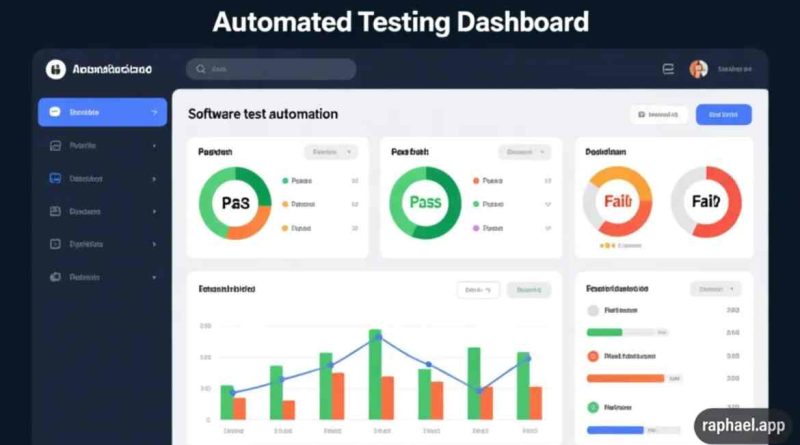
What Is Test Automation in Software? A Complete Guide for 2026
Test automation in software is the process of using tools and scripts to automatically execute test cases, verify results, and identify defects without manual effort.
In simple terms, instead of testers repeatedly checking features by hand, automated programs perform those checks quickly and accurately. This allows development teams to release software faster while maintaining high quality.
In 2026, test automation is a core part of modern development practices such as Agile, DevOps, and continuous integration, where applications are updated frequently and reliability is critical.
Why Test Automation Is Important Today
Software development cycles are becoming shorter. Companies release updates weekly, daily, or even multiple times a day. Manual testing alone cannot keep up with this speed.
Test automation helps organizations:
- Reduce testing time significantly
- Detect bugs earlier in the development cycle
- Improve product stability
- Support frequent releases
- Lower long-term testing costs
Many organizations building on AI-native platforms integrate automated testing directly into their workflows to ensure continuous quality as features evolve.
Without automation, maintaining quality at scale becomes difficult and expensive.
Key Benefits of Test Automation
1. Faster Execution
Automated tests run much faster than manual testing. Large test suites that take hours manually can be completed in minutes.
2. Improved Accuracy
Automated scripts follow exact instructions every time, eliminating human errors and inconsistencies.
3. Reusability
Once created, test scripts can be reused across multiple builds, environments, and versions.
4. Continuous Testing
Automation enables testing after every code change, supporting CI/CD pipelines.
5. Better Test Coverage
Automation allows teams to run thousands of test cases across different devices, browsers, and environments.
These advantages align with broader technology trends focused on speed, scalability, and automation.
Types of Test Automation
Different testing levels can be automated depending on project needs.
Unit Testing
Tests individual functions or components to ensure they work correctly.
Integration Testing
Verifies that multiple modules or services work together without issues.
Functional Testing
Checks whether application features behave according to requirements.
Regression Testing
Ensures that new updates do not break existing functionality. This is one of the most common uses of automation.
API Testing
Validates backend services and data communication. Teams often rely on structured API testing to ensure system reliability.
Performance Testing
Measures system speed, response time, and stability under heavy load.
How Test Automation Works
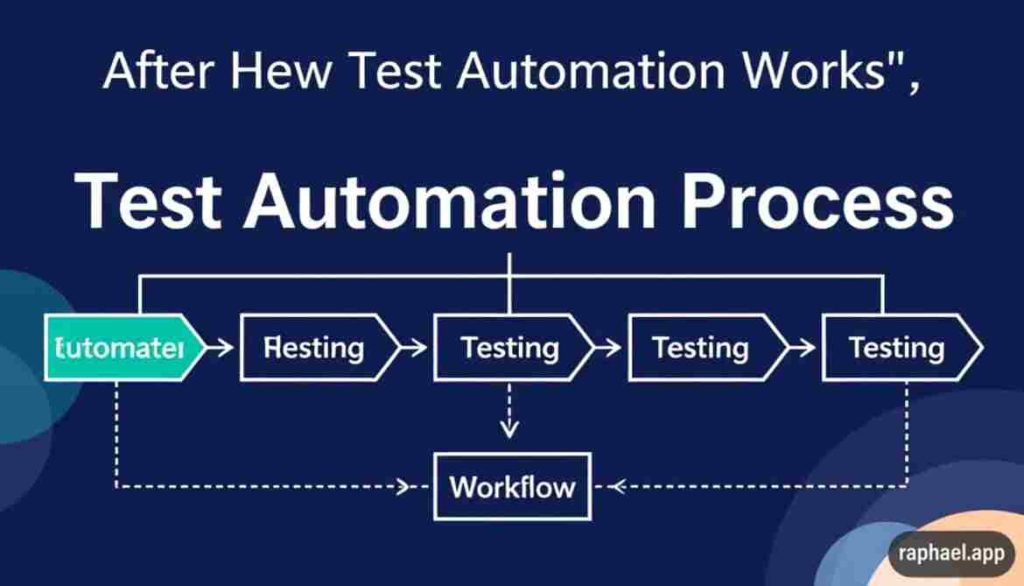
The test automation process typically follows these steps:
- Identify test cases suitable for automation
- Select the right tools and frameworks
- Create automated test scripts
- Execute tests automatically
- Compare expected and actual results
- Generate reports and logs
- Maintain and update scripts regularly
Most companies now run automated tests in cloud environments to simulate multiple devices, browsers, and operating systems at scale.
Popular Test Automation Tools in 2026
Web Testing
- Selenium
- Cypress
- Playwright
Mobile Testing
- Appium
- Espresso
- XCUITest
Unit Testing Frameworks
- JUnit
- TestNG
- NUnit
CI/CD Integration Tools
- Jenkins
- GitHub Actions
- GitLab CI
Many modern tools also include AI capabilities for automatic test maintenance and failure analysis.
Test Automation in Agile and DevOps

Automation plays a critical role in modern development methodologies.
Agile Development
Teams release updates after short sprints. Automated tests ensure that new features work correctly without delaying releases.
DevOps Pipelines
Automation supports continuous delivery:
Code → Build → Automated Tests → Deployment
This approach reduces production errors and improves overall software reliability.
Automation also supports long-term business strategy by reducing downtime and improving user experience.
Test Automation vs Manual Testing
| Factor | Manual Testing | Automation |
|---|---|---|
| Speed | Slow | Fast |
| Accuracy | Error-prone | Consistent |
| Cost (long term) | Higher | Lower |
| Best for | Exploratory testing | Repetitive testing |
The best approach is a hybrid strategy that combines manual testing for usability and automation for repetitive tasks.
Challenges of Test Automation
Despite its benefits, automation has some challenges.
Initial Investment
Setting up tools, infrastructure, and scripts requires time and resources.
Script Maintenance
Whenever the application changes, test scripts must be updated.
Skill Requirements
Teams need technical knowledge to design and maintain automation frameworks.
Tool Selection
Choosing the wrong tool can increase complexity and costs.
Proper planning and alignment with overall development goals help minimize these issues.
Best Practices for Effective Test Automation
To get the best results, teams should:
- Automate repetitive and high-risk test cases first
- Use modular and reusable scripts
- Integrate automation into CI/CD pipelines
- Run tests regularly, not just before releases
- Monitor failures and improve scripts continuously
- Combine manual and automated testing
Organizations adopting these practices achieve faster releases with fewer defects.
The Role of AI in Test Automation
Artificial intelligence is transforming software testing.
New AI-driven capabilities include:
- Automatic test case generation
- Self-healing scripts that adapt to UI changes
- Predictive risk analysis
- Smart failure detection
As AI adoption grows across industries, automated testing systems are becoming more intelligent and efficient.
This evolution is part of broader modern technology advancements shaping software development.
When Should You Use Test Automation?
Automation is ideal for:
- Large regression test suites
- Frequently updated applications
- Performance and load testing
- Cross-browser or cross-device testing
- Continuous integration environments
Manual testing remains important for user experience evaluation and exploratory testing.
The Future of Test Automation
By 2026 and beyond, test automation will continue evolving with:
- Low-code and no-code automation tools
- Cloud-native testing platforms
- AI-powered quality analysis
- Real-time monitoring and feedback
As software complexity increases, automation will become essential rather than optional.
FAQs
It is the use of software tools to automatically test applications and verify results without manual effort.
It increases testing speed, reduces human error, and supports continuous software delivery.
Yes, automation helps small teams release faster while maintaining quality.
No, both are necessary. Automation handles repetitive tasks, while manual testing covers exploratory scenarios.
Basic coding knowledge helps, but many modern tools now offer low-code solutions.